

Tesla Model Y key fob basics
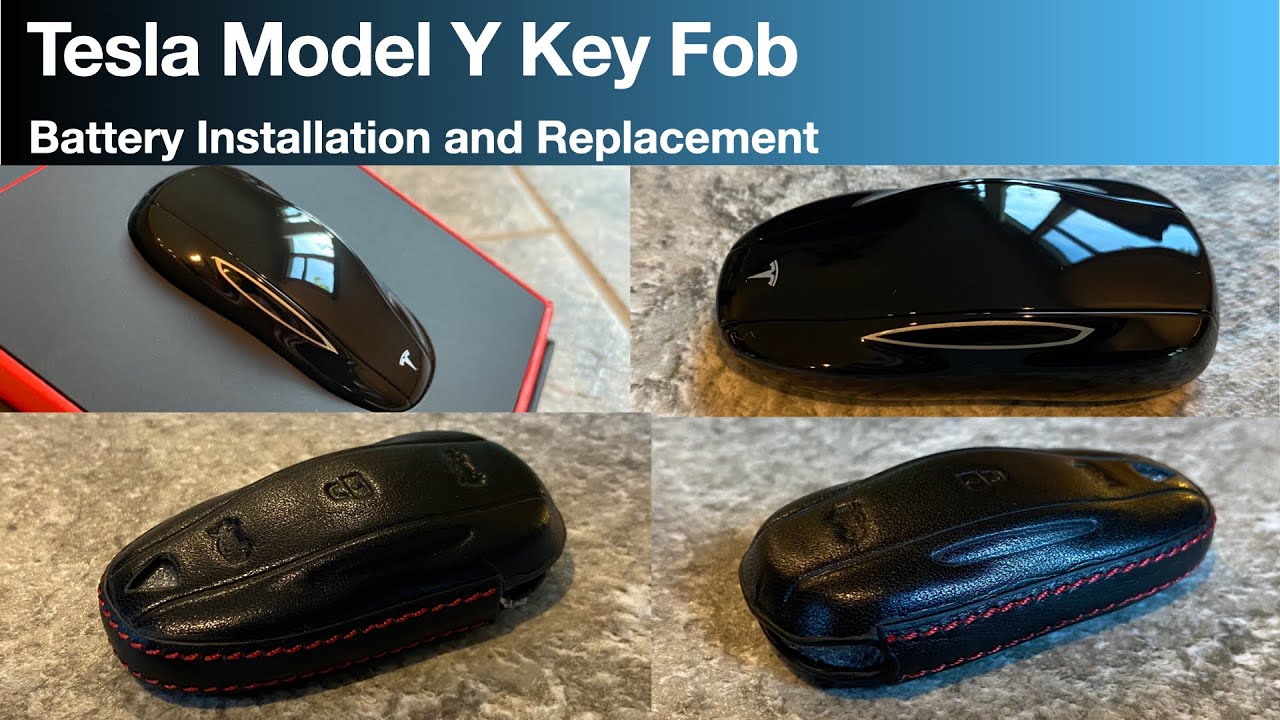
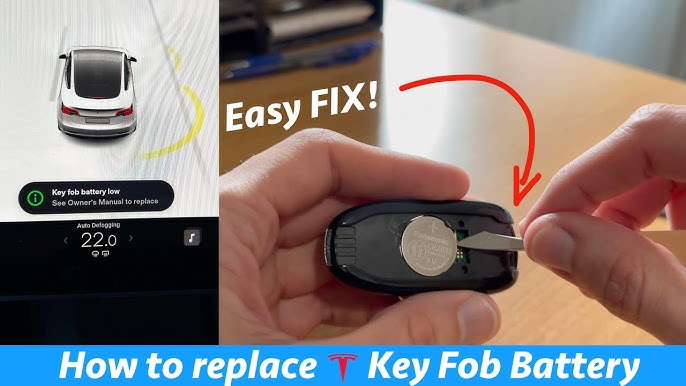
The 2026 Tesla Model Y key fob usually lasts about two or three years before the battery dies. While you can use the phone app to drive, having a physical backup is easier for daily use. Swapping the battery takes five minutes and saves you a service center appointment.
A dead key fob isn’t a complete disaster, as you can still use the Tesla app on your phone to control the car. However, relying solely on your phone isn’t always ideal. Having a functioning key fob provides a backup and is simply more convenient for many people. Replacing the battery is a relatively simple process, and maintaining a working key fob ensures you always have access to your vehicle's key features.
Don’t be intimidated by the idea of opening up your key fob. It’s designed to be user-serviceable, and with a little patience and the right tools, you can easily swap out the battery yourself. It’s a small task that can prevent the inconvenience of a non-functioning key fob and keep you connected to your Model Y.
What you'll need
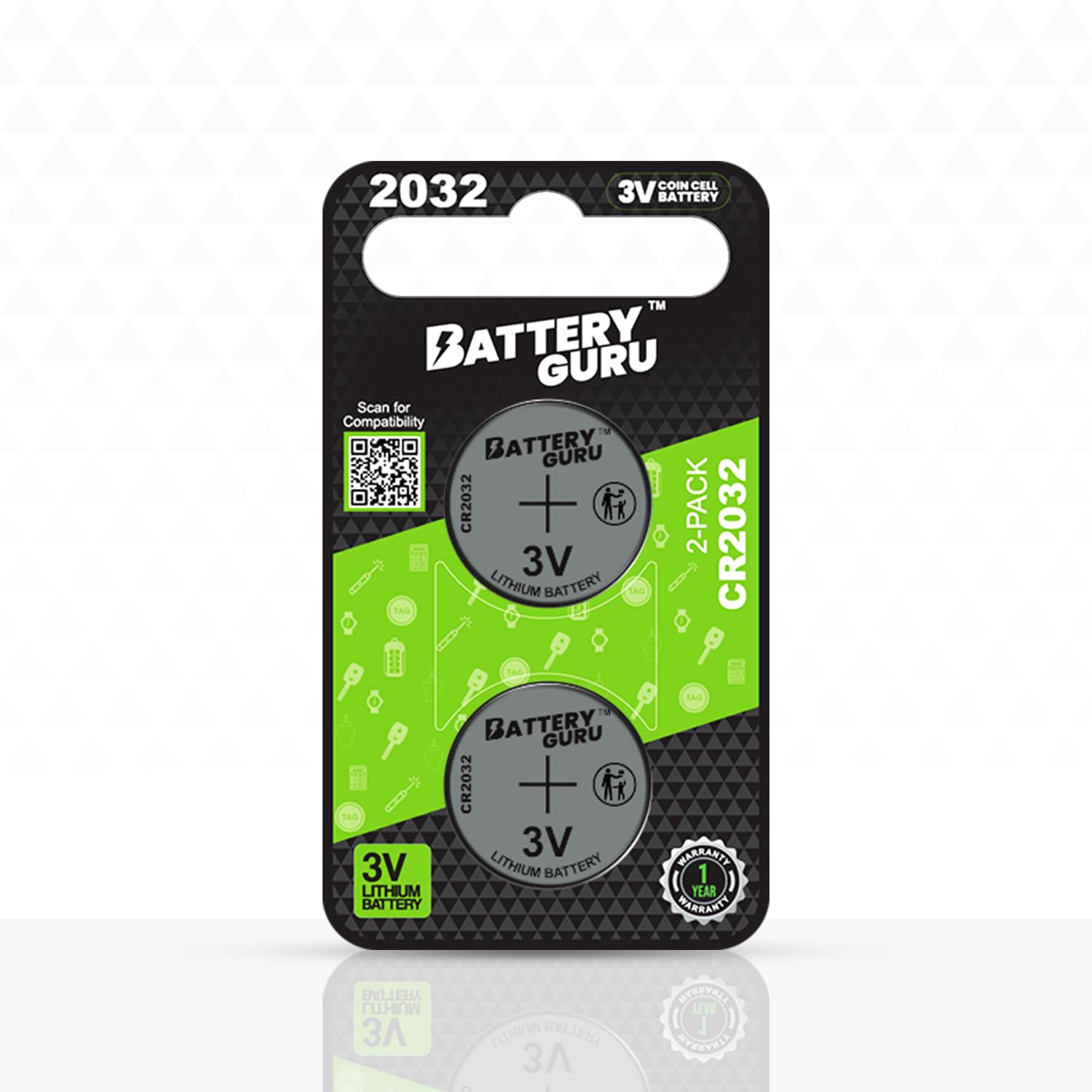
Before you begin, you’ll need a few simple items. The most important is a replacement CR2032 battery. This is the standard battery type used in the 2026 Tesla Model Y key fob. Don’t substitute with other battery types, as they may not fit or function correctly.
You’ll also need a small flathead screwdriver. Many key fob tool kits are available online, specifically designed for this purpose, which can make the process easier and reduce the risk of scratches. If you use a regular screwdriver, ensure it's the correct size to avoid damaging the fob’s casing. Finally, have a soft cloth handy to protect the fob from scratches during disassembly.
You can find CR2032 batteries at most drugstores, supermarkets, and electronics stores. Key fob tool kits are readily available on Amazon and other online retailers. Taking a moment to gather everything beforehand will make the replacement process much smoother.
- One CR2032 lithium battery
- Small flathead screwdriver or a guitar pick
- Soft Cloth
Tools & Parts Needed
- CR2032 Battery - This is the specific battery type required for the 2026 Tesla Model Y key fob. Reputable brands include Panasonic, Duracell, and Energizer.
- Small Flathead Screwdriver - You’ll need a small screwdriver to gently open the key fob casing. Alternatively, a dedicated key fob opening tool can be used.
- Key Fob Opening Tool - A plastic opening tool designed for electronics can minimize the risk of damaging the key fob during disassembly.
- Soft Microfiber Cloth - Useful for carefully prying open the fob and cleaning the interior, preventing scratches.
- Anti-Static Wrist Strap (Optional) - While not essential, an anti-static strap can help protect the sensitive electronics inside the key fob.
- Small Container - Keep the screw from the key fob in a small container so it does not get lost.
- Bright Work Light - Good lighting will help you see the small components inside the key fob more clearly.
How to open the case
This is often the step people worry about most, but it’s actually quite straightforward. Locate the small notch on the side of the key fob. This is where you’ll insert the flathead screwdriver. Gently insert the screwdriver into the notch; you shouldn’t need to force it. Applying too much pressure could damage the plastic casing.
Once the screwdriver is inserted, gently twist. You’ll feel some resistance, which is normal. Continue twisting slowly and steadily. The two halves of the key fob should begin to separate. Again, gentle is the key here. If it feels like you’re going to break something, stop and reassess. You might need to adjust the angle of the screwdriver slightly.
Be extremely careful not to lose the small screw that holds the key fob together. It’s easy to misplace, and finding a replacement can be tricky. I recommend placing the screw in a safe spot immediately after removing it. Once the screw is out and the case is separated, you’ll have access to the battery.
Battery Removal & Installation
With the key fob open, you’ll see the CR2032 battery. To remove it, gently press down on the battery—there's usually a small retaining clip. This will release the battery, allowing you to lift it out. Note which side is facing up; you’ll need to install the new battery with the same orientation.
Now, insert the new CR2032 battery into the compartment. Ensure the positive (+) side is facing up, matching the orientation of the old battery. The battery should snap into place. If it doesn't, double-check the orientation and make sure it's fully seated.
Try not to touch the flat surfaces of the new battery with your bare fingers. Skin oils can cause corrosion over time, so hold it by the edges or wipe it down with a cloth before you snap it in.
Reassembly and Testing
Now that the new battery is in place, it’s time to reassemble the key fob. Carefully align the two halves of the case and gently press them together until they click securely. Ensure there are no gaps between the two halves.
Once the case is closed, reinsert the small screw you removed earlier. Tighten the screw just enough to hold the case together—don’t overtighten, as this could damage the plastic. Now comes the crucial part: testing.
Press the lock and unlock buttons to confirm the key fob is working correctly. Also, test the trunk release button. If the key fob doesn’t respond, double-check the battery polarity and ensure the case is fully closed and the screw is secure. Sometimes, a slightly loose connection is all it takes to prevent it from working.
If the fob still doesn't work
Some users have reported issues where their key fob stops functioning correctly—specifically, remote start and keyless entry—after a battery replacement. This seems to be a somewhat common issue, as noted in discussions on platforms like Facebook. It often requires resynchronizing the key fob with the vehicle.
If the car doesn't recognize the new battery, you'll likely need to place the fob on the center console card reader—right behind the cup holders—to resync it. Check the 'Keys' menu on your touchscreen to see if the car still lists the fob as an active key.
Another possibility is corrosion on the battery contacts. Inspect the contacts inside the key fob for any signs of corrosion. If you see any, gently clean them with a cotton swab dipped in isopropyl alcohol. If these steps don’t resolve the issue, it’s best to seek assistance from Tesla service.
Extending Battery Life: Tips & Best Practices
While a CR2032 battery will eventually run down, there are a few things you can do to extend its life. Store the key fob in a cool, dry place, away from direct sunlight and extreme temperatures. Heat and humidity can accelerate battery drain.
If you don’t use your key fob frequently, consider removing the battery for long-term storage. This will prevent it from discharging while not in use. Remember to store the battery in a safe place.
The more you use the key fob, the faster the battery will drain. If you have multiple key fobs, rotating their use can help distribute the wear and tear on the batteries.
No comments yet. Be the first to share your thoughts!