

Smart home battery tech in 2026
Smart homes require more power than they used to. Security systems and automated lighting are convenient, but they force us to change batteries more often than we'd like. As we add more sensors and voice assistants in 2026, managing that power becomes a daily chore.
For years, alkaline batteries were the standard. They’re cheap and readily available. However, the power demands of modern smart home gadgets are pushing the limits of what alkaline can reliably deliver. Many devices are simply too power-hungry for a standard alkaline to keep up for a reasonable length of time. Lithium batteries offer a solution, but they come with a different set of considerations.
It’s easy to assume "smart’ automatically equals ‘efficient’, but that"s not always the case. Constant wireless communication, data processing, and sensor activity drain power quickly. We need to think beyond just the battery type and consider how we use these devices. The environmental impact of constantly discarding disposable batteries is also a growing concern, pushing the need for rechargeable options and better battery technology.
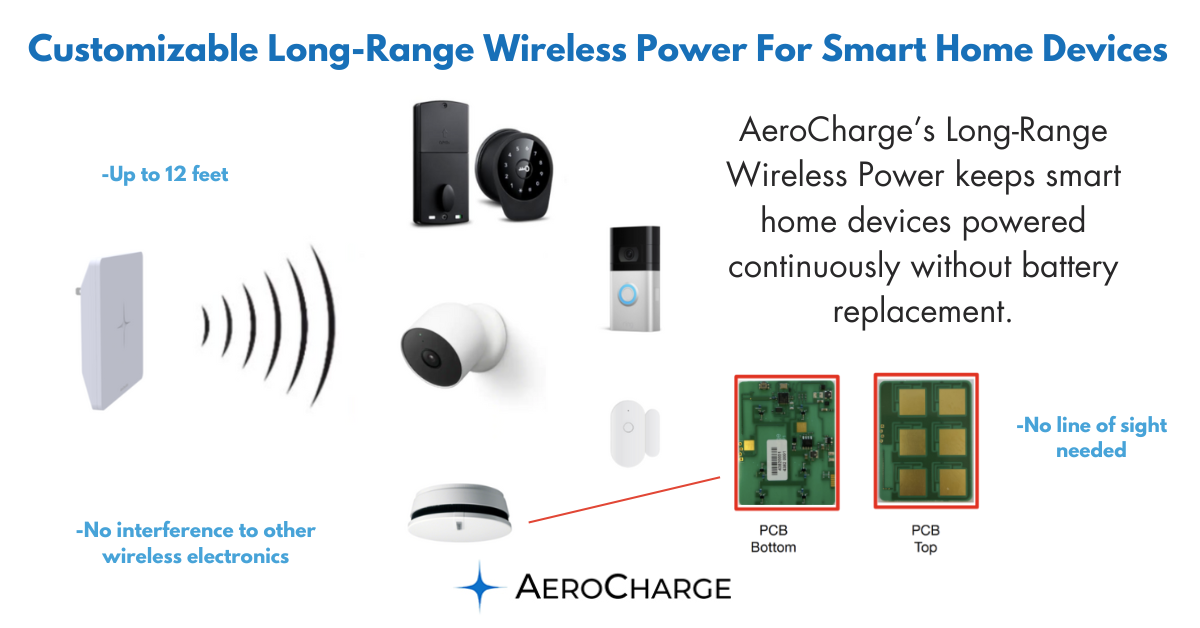
Which devices drain power fastest
Not all smart home devices are created equal when it comes to battery consumption. Security cameras, particularly those with continuous recording or high-resolution streaming, are notorious power hogs. Video doorbells, constantly monitoring for motion and transmitting video, fall into the same category. Expect to replace batteries in these devices relatively frequently.
Smart locks, thermostats, and environmental sensors generally use less power. Smart locks only activate during operation, and thermostats don’t require constant data transmission. Sensors, like those monitoring temperature or humidity, operate on very low power levels. However, even these devices can drain quickly if they’re constantly communicating or if their sensitivity settings are too high.
Firmware updates can also play a role. Sometimes, an update will optimize power usage, extending battery life. Other times, a new feature or bug can lead to increased drain. It's worth paying attention to battery life after an update to see if there’s a noticeable difference. The wireless protocol used – Wi-Fi, Bluetooth, Zigbee – also impacts consumption. Wi-Fi is generally the most power-intensive.
Lithium vs. alkaline
The choice between lithium and alkaline batteries is a central one for smart home users. Alkaline batteries remain the budget-friendly option, typically costing significantly less upfront. However, their performance in demanding smart home applications is often underwhelming. They struggle with consistent power delivery, especially in colder temperatures, and have a shorter overall lifespan.
Lithium batteries, on the other hand, offer superior performance. They provide a more stable voltage output, even as they discharge, which is critical for sensitive electronics. They also excel in extreme temperatures and boast a much longer shelf life. The self-discharge rate of lithium batteries is considerably lower than alkaline, meaning they hold their charge for longer when not in use.
While the initial cost of lithium is higher, I believe the long-term value often justifies the expense. For critical devices like security cameras or smoke detectors, the reliability and extended life of lithium batteries are worth the investment. Alkaline can be sufficient for low-drain sensors, but even then, the peace of mind offered by lithium is appealing. Here’s a quick comparison:
lists
- Alkaline: Cheap but dies quickly in the cold and loses charge while sitting in the drawer.
- Lithium: Expensive but lasts years, handles winter weather, and stays charged when not in use.
Smart Home Device Battery Comparison - 2026
| Battery Type | Typical Cost (per battery) | Lifespan (Typical Smart Home Device) | Temperature Performance | Environmental Impact | Best Use Cases |
|---|---|---|---|---|---|
| Alkaline | Low (generally $1 - $5) | Moderate (several months to a year, device dependent) | Good in moderate temperatures, performance degrades in extreme cold or heat | Higher due to disposal concerns; not rechargeable | Low-drain devices like smoke detectors, carbon monoxide detectors, some remote controls |
| Lithium (Non-Rechargeable) | Moderate ($5 - $15) | Long (1-3 years, device dependent) | Excellent across a wider temperature range than Alkaline | Moderate; contains materials requiring careful disposal, but longer lifespan reduces overall waste | Security systems, doorbells, devices requiring reliable performance in varying climates |
| Lithium-Ion (Rechargeable) | High initial cost (battery + charger $20+) | Variable (hundreds to thousands of charge cycles, dependent on usage and device) | Good, but performance can degrade over time and with extreme temperatures | Lower long-term due to reusability, but manufacturing and eventual disposal have environmental impact | High-drain devices like video doorbells, security cameras, robotic vacuums |
| Nickel-Metal Hydride (NiMH - Rechargeable) | Moderate (battery + charger $15+) | Good (hundreds of charge cycles) | Generally good, but can self-discharge relatively quickly | Lower than Alkaline due to reusability, but contains metals requiring proper recycling | Wireless mice, keyboards, less critical smart home sensors |
| Zinc-Carbon | Very Low (under $1) | Short (weeks to months) | Poor, significant performance drop in cooler temperatures | Similar to Alkaline, disposal concerns | Very low-drain devices where infrequent use is common, such as infrequently used remotes |
Illustrative comparison based on the article research brief. Verify current pricing, limits, and product details in the official docs before relying on it.
The case for rechargeable batteries
Rechargeable batteries offer a compelling alternative to disposable options, both for your wallet and the environment. Nickel-Metal Hydride (NiMH) and Lithium-ion (Li-ion) are the two main types. NiMH is a more established technology and is widely available, while Li-ion is becoming increasingly popular due to its higher energy density.
The initial investment is the biggest hurdle. You’ll need to purchase a charger and a set of rechargeable batteries. However, over time, the cost savings can be substantial, especially if you use a lot of batteries. The convenience of simply recharging instead of constantly buying replacements is also a major benefit. Be aware of the old 'memory effect' associated with NiMH batteries – fully discharging them periodically can help maintain their capacity.
Availability in common smart home sizes (AA, AAA, C, D) is generally good for both NiMH and Li-ion. It’s crucial to use a quality charger designed for the specific battery type to avoid overcharging or damaging the batteries. Consider the number of devices you have and how frequently you use them when deciding if rechargeable batteries are a good fit. It's a good option if you have many devices or use them heavily.
Settings that save power
User behavior and device settings have a massive impact on battery life. Start with security cameras: adjust the motion detection sensitivity. A lower sensitivity reduces false alarms and unnecessary recording, conserving power. Similarly, optimize Wi-Fi settings – a stronger signal requires less power to maintain a connection. Reducing notification frequency can also make a difference; do you really need to be alerted every time your smart bulb turns on?
Take advantage of power-saving modes if your devices offer them. These modes typically reduce performance or disable certain features to extend battery life. Scheduling device operation is another effective strategy. For example, program your smart sprinkler to run only at night when evaporation is lower, or set your outdoor lights to turn on only when motion is detected.
Regularly check for firmware updates, as manufacturers often release updates that improve power efficiency. Consider the placement of your devices – avoid direct sunlight or extreme temperatures, which can affect battery performance. Finally, be mindful of the devices you choose to automate. Do you really need a smart toothbrush? Prioritize automation where it truly adds value and minimizes unnecessary power drain.
Here's a quick checklist to get you started:
- Lower the motion sensitivity on cameras to stop recording every passing car.
- Optimize Wi-Fi: Ensure a strong signal.
- Reduce notifications: Limit unnecessary alerts.
- Use power-saving modes: Trade performance for battery life.
- Schedule operation: Run devices only when needed.
- Check for firmware updates: Improve power efficiency.
Fixing low battery warnings
Constantly receiving low battery warnings? Don't immediately assume the batteries are bad. Several factors can contribute to this issue. First, check the batteries themselves – are they old or nearing their expiration date? Even unused batteries lose charge over time. Also, inspect the battery contacts for corrosion or debris. A poor connection can prevent the device from receiving sufficient power.
Ensure the batteries are installed correctly, paying attention to the polarity (+ and -). A simple mistake can prevent the device from functioning properly. If you've confirmed the batteries are good and properly installed, try resetting the device. This can sometimes resolve software glitches that are causing excessive battery drain.
Finally, always use high-quality batteries from reputable brands. Cheap batteries often have lower capacity and shorter lifespans. If the problem persists after trying these steps, the device itself may be malfunctioning and require repair or replacement.
Recycling and disposal
Proper battery disposal is crucial for protecting the environment. Batteries contain hazardous materials that can contaminate soil and water if they end up in landfills. Never throw batteries in the trash. Instead, recycle them whenever possible.
Many retailers, such as Best Buy and Home Depot, offer battery recycling drop-off locations. You can also check with your local waste management authority for recycling options in your area. Mail-in recycling programs are also available, though they often involve a fee. Taking a few extra minutes to recycle your batteries is a small effort that can make a big difference.
Let's all be responsible consumers and prioritize the proper disposal of batteries. It’s a simple way to contribute to a more sustainable future.
No comments yet. Be the first to share your thoughts!