

The reality of smart home power
Smart home gear isn't magic; it needs juice. Most of these gadgets rely on batteries to stay mobile. If you're running doorbells, cameras, or sensors, you're going to be swapping or charging cells eventually. It's the price we pay for not having to drill holes for wires everywhere.
The types of batteries you'll encounter vary. Alkaline batteries are common in lower-drain devices like some sensors, offering a relatively inexpensive solution. Lithium-ion batteries, on the other hand, are prevalent in devices needing more power, such as doorbells and cameras, because they can hold a greater charge and are rechargeable. Factors like usage frequency, Wi-Fi signal strength, and device settings all heavily influence how quickly a battery drains. More motion detection means more power use, for example.
Manufacturer claims of '6-month battery life' are almost always optimistic. They test in perfect conditions with zero activity. In the real world, your results will be lower. Also, don't just toss these in the trash when they die—the chemicals inside are nasty for the soil.
Ring doorbells: what actually drains them
Ring doorbells are incredibly popular, but their battery performance is a frequent topic of discussion. It’s not a simple answer – it depends heavily on the model and how you use it. The original Ring Video Doorbell and the Ring Video Doorbell 2 typically last anywhere from 6 to 12 months on a single charge, but that’s with moderate use. The Ring Video Doorbell Pro, requiring more power for its advanced features, generally offers a shorter battery life – perhaps 3 to 6 months.
Usage is the biggest variable. Frequent motion detection, especially in a busy area, will drain the battery faster. Similarly, recording a lot of video and using the live view feature frequently will reduce battery life. Even video resolution settings play a role. Higher resolutions (1080p) consume more power than lower resolutions (720p). I've found that experimenting with these settings can make a noticeable difference.
Troubleshooting can help extend battery life. Adjusting the motion zones to focus on key areas reduces unnecessary recordings. Optimizing your Wi-Fi signal is also crucial; a weak signal forces the doorbell to work harder to connect, draining the battery. Newer Ring models, like some of those released in 2025, claim to have improved battery efficiency, but real-world results still vary. I’ve seen reports of the Ring Battery Doorbell Plus lasting up to 8 months, but that seems optimistic for most users.
If you're consistently getting poor battery life, check Ring's support pages for known issues with your specific model. They sometimes release firmware updates that address power consumption problems. Also, consider a wired installation if possible – eliminating the battery entirely is the most reliable solution.
Nest Camera Battery Expectations
Nest cameras, like Ring doorbells, offer convenience but require careful battery management. The Nest Cam Outdoor and the Nest Cam IQ Outdoor are the most common battery-powered models. The battery life typically ranges from 1.5 to 5 months, but again, this is highly dependent on usage. Continuous recording will obliterate the battery in a matter of days, while event-based recording extends it significantly.
The Nest Aware subscription impacts battery life in a couple of ways. Features like package detection and familiar face recognition require more processing power, which drains the battery faster. However, the subscription also allows for more intelligent event recording, potentially reducing the number of unnecessary recordings and offsetting some of the power consumption. It’s a trade-off.
The Nest battery indicator is a liar. I've had cameras show 20% and then go dark two hours later. If your video starts getting choppy or the connection drops for no reason, ignore the percentage and just charge the thing. If it still dies fast with no activity, you probably have a dud unit.
Beyond Ring & Nest: Other Common Devices
The battery needs don’t stop with doorbells and cameras. Smart locks, like those from August and Yale, typically use AA batteries and can last anywhere from 6 to 12 months, depending on usage frequency. Sensors, such as those from Aqara and Samsung SmartThings, generally have excellent battery life – often a year or more – because they only transmit data intermittently. They usually use coin cell batteries, like CR2032s.
Even smart speakers require attention. The Amazon Echo Pop and Google Nest Mini, while not primary power drains, do run on batteries (or can be used with battery packs). Expect around 6-8 hours of playback on a full charge for the Echo Pop, and similar for the Nest Mini. These are more likely to be plugged in, but it's good to know the battery limitations if you plan on using them unplugged.
Generally, minimizing the frequency of operation will help extend battery life across all devices. Adjusting sensitivity settings, shortening recording durations, and optimizing Wi-Fi connections are all good practices. Don't assume a 'set it and forget it' approach will work; regular monitoring is essential.
Decoding Battery Types & Compatibility
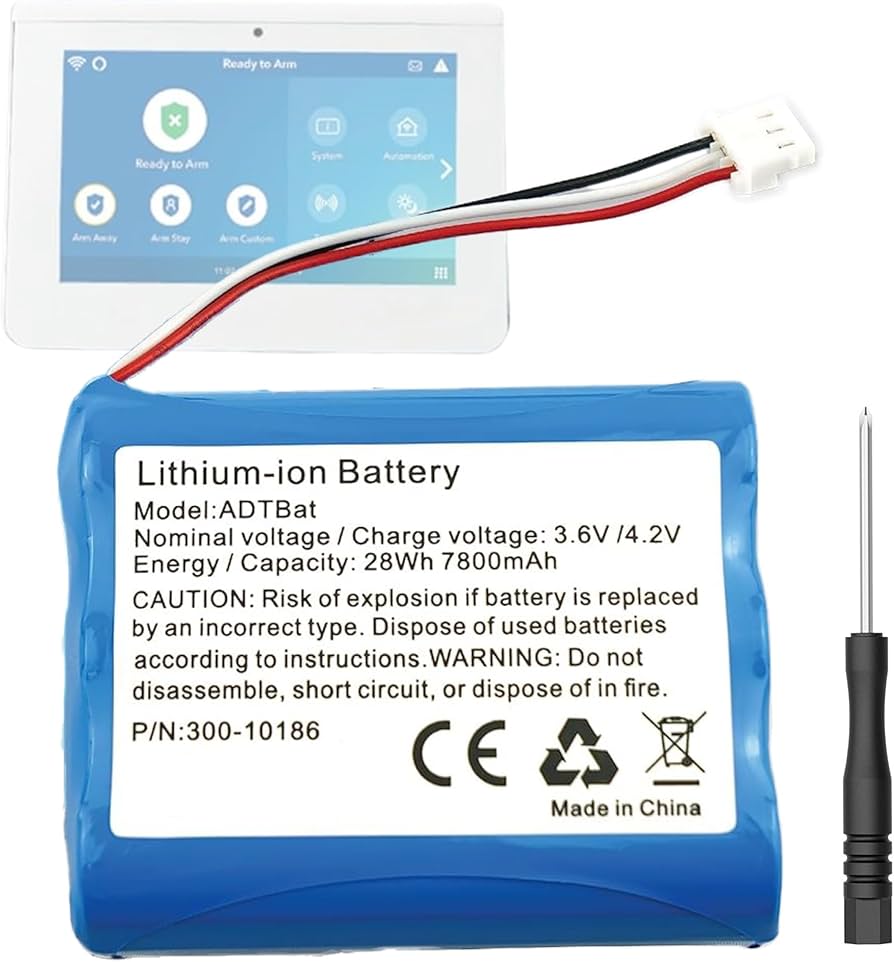
Understanding battery types is crucial. AA and AAA batteries are the most common for lower-power devices. C and D batteries are less frequent in smart home devices, but you might find them in some larger sensors. 18650 lithium-ion batteries are popular in higher-drain devices like doorbells and cameras, offering higher capacity and rechargeability. Each type has a different voltage and capacity, measured in mAh (milliampere-hours).
Using the correct battery type is essential. An incorrect voltage can damage the device, and an insufficient capacity will result in short battery life. Always check the device’s manual for the recommended battery type. Using a non-rechargeable battery in a device designed for rechargeable batteries can lead to leakage or even a fire hazard.
Rechargeable batteries are a convenient option, but quality matters. While inexpensive rechargeable batteries can save money upfront, they often have lower capacity and a shorter lifespan than premium brands like Eneloop. I personally avoid using generic rechargeable batteries in high-drain devices like Ring doorbells; the performance difference is noticeable. Higher self-discharge rates mean they might not be fully charged when you need them.
- AA batteries (1.5V) are the standard for smart locks and most motion sensors.
- AAA: 1.5V, often used in smaller sensors
- 18650 Lithium-ion: 3.7V, high capacity for doorbells and cameras
Smart Home Device Battery Comparison - 2026
| Battery Type | Typical Voltage | Capacity (Typical) | Lifespan (Smart Home Devices) | Environmental Impact |
|---|---|---|---|---|
| Alkaline | 1.5V | Variable, commonly AA/AAA (800-1200 mAh) | Medium | Medium-High (Disposal concerns) |
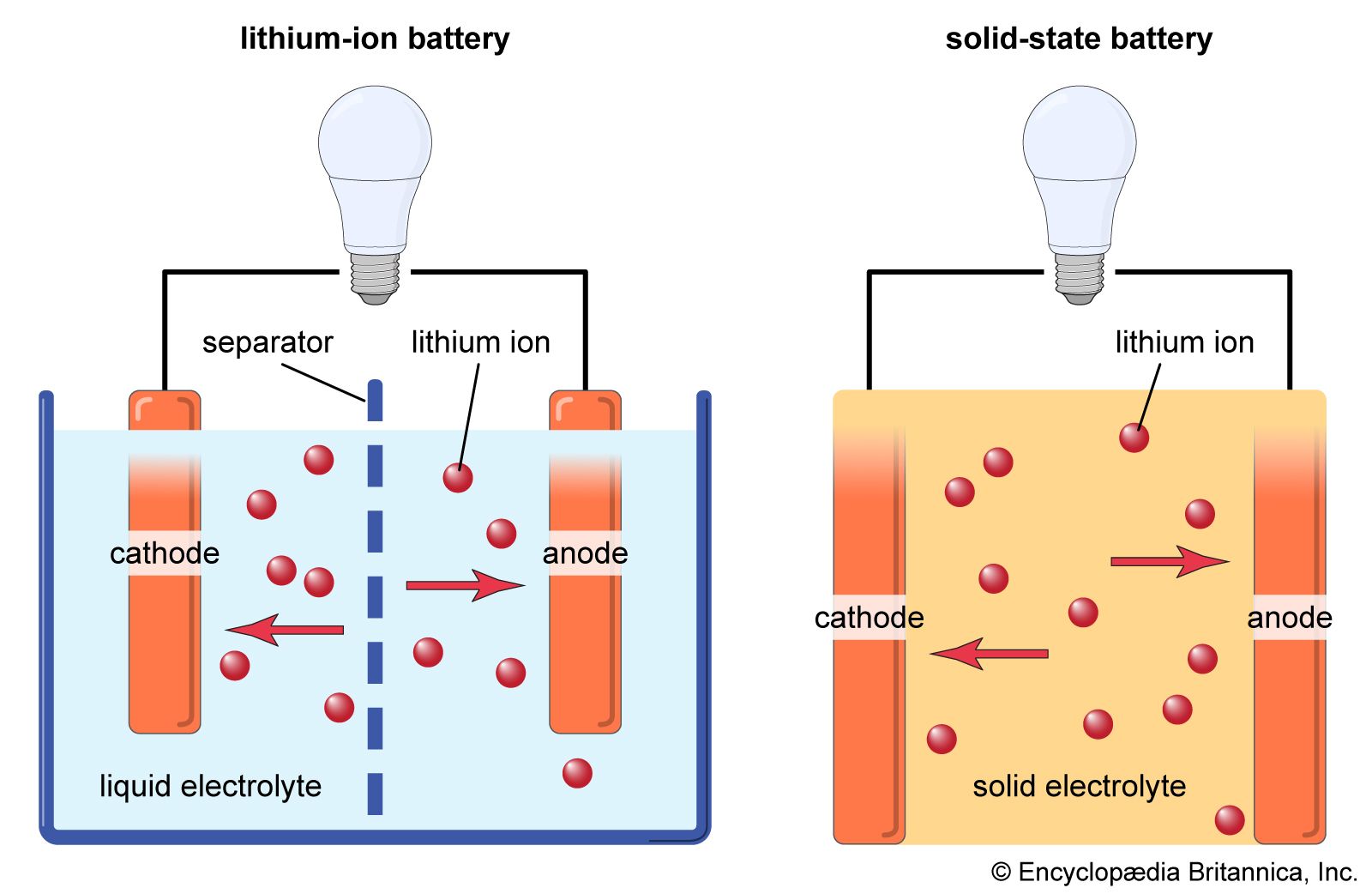
| Lithium-ion | 3.7V | Variable, dependent on device (1000-3000 mAh) | High | Medium (Recycling required, resource intensive) |
| NiMH (Nickel-Metal Hydride) | 1.2V | Variable, commonly AA/AAA (800-2500 mAh) | Medium-High | Medium (Better than Alkaline, recycling recommended) |
| Lithium (Non-Rechargeable) | 3V | Variable, often coin cell (CR2032 - 220 mAh) | High | Medium (Disposal concerns, resource intensive) |
| Rechargeable Alkaline | 1.5V | Variable, commonly AA/AAA (500-800 mAh) | Medium | Low-Medium (Reduced disposal compared to standard Alkaline) |
| Zinc-Carbon | 1.5V | Variable, commonly AA/AAA (500-1000 mAh) | Low | Medium-High (Disposal concerns, lower performance) |
Illustrative comparison based on the article research brief. Verify current pricing, limits, and product details in the official docs before relying on it.
When things go wrong
Devices draining batteries quickly is a common complaint. First, rule out usage patterns – are you recording a lot of video or receiving frequent notifications? If so, adjust your settings. If the battery is draining quickly even with minimal use, try a fresh set of batteries from a different brand. Sometimes, manufacturing defects can affect battery performance.
If batteries aren't holding a charge, especially rechargeable ones, they may be nearing the end of their lifespan. Replace them with new batteries. If the device doesn't recognize new batteries, check the battery contacts for corrosion or debris. Clean them gently with a cotton swab and isopropyl alcohol.
In some cases, the problem isn't the battery itself but a faulty device. If you've tried multiple sets of batteries and the issue persists, contact the manufacturer's customer support. They may be able to offer troubleshooting assistance or a replacement device. Don’t hesitate to reach out – a malfunctioning device can drain batteries even when they're brand new.
Battery Disposal & Recycling: Be Responsible
Improper battery disposal poses significant environmental risks. Batteries contain heavy metals and other hazardous materials that can contaminate soil and water. Never throw batteries in the trash. Fortunately, many resources are available for responsible battery recycling.
Local recycling programs often accept batteries. Check with your city or county for designated drop-off locations. Retailers like Batteries Plus Bulbs and Home Depot also offer battery recycling services. Call2Recycle is a non-profit organization that provides a network of battery recycling locations across the US and Canada. You can find a location near you on their website.
Different battery types require different recycling processes. Lithium-ion batteries, for example, require specialized recycling facilities to recover valuable materials and prevent environmental damage. By taking the time to recycle your batteries properly, you can help protect the environment and conserve resources.
- Check Call2Recycle for a map of local drop-off points.
- Batteries Plus Bulbs:
- Local municipal recycling programs

No comments yet. Be the first to share your thoughts!