
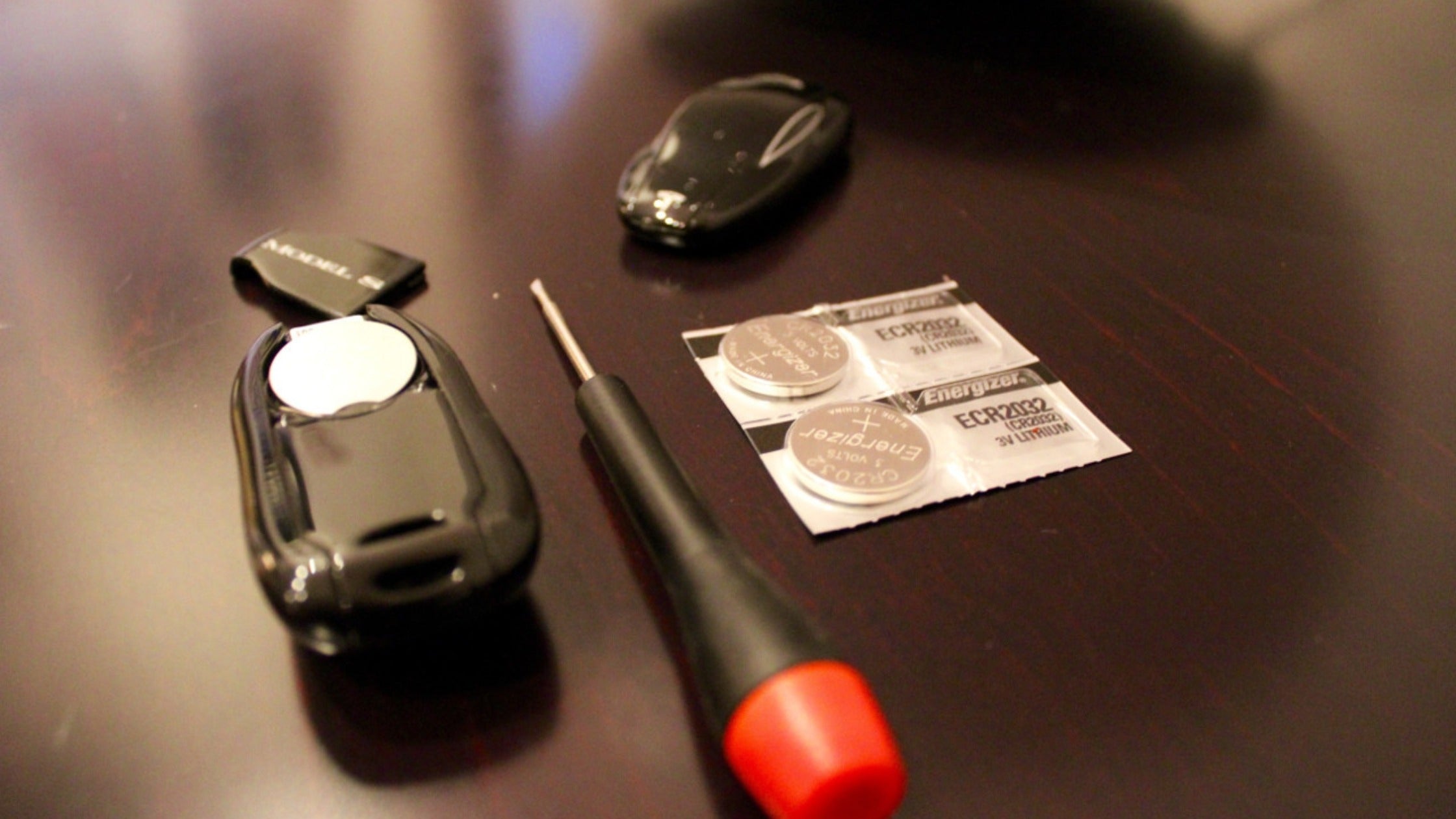

Understanding Your Tesla Model Y Key Fob Battery
The Tesla Model Y key fob is an essential accessory that provides convenient access to your vehicle without relying solely on your smartphone. This sophisticated device operates on a single CR2032 battery, which serves as the power source for all key fob functions including remote locking, unlocking, and trunk access.
CR2032 Battery Specifications and Lifespan
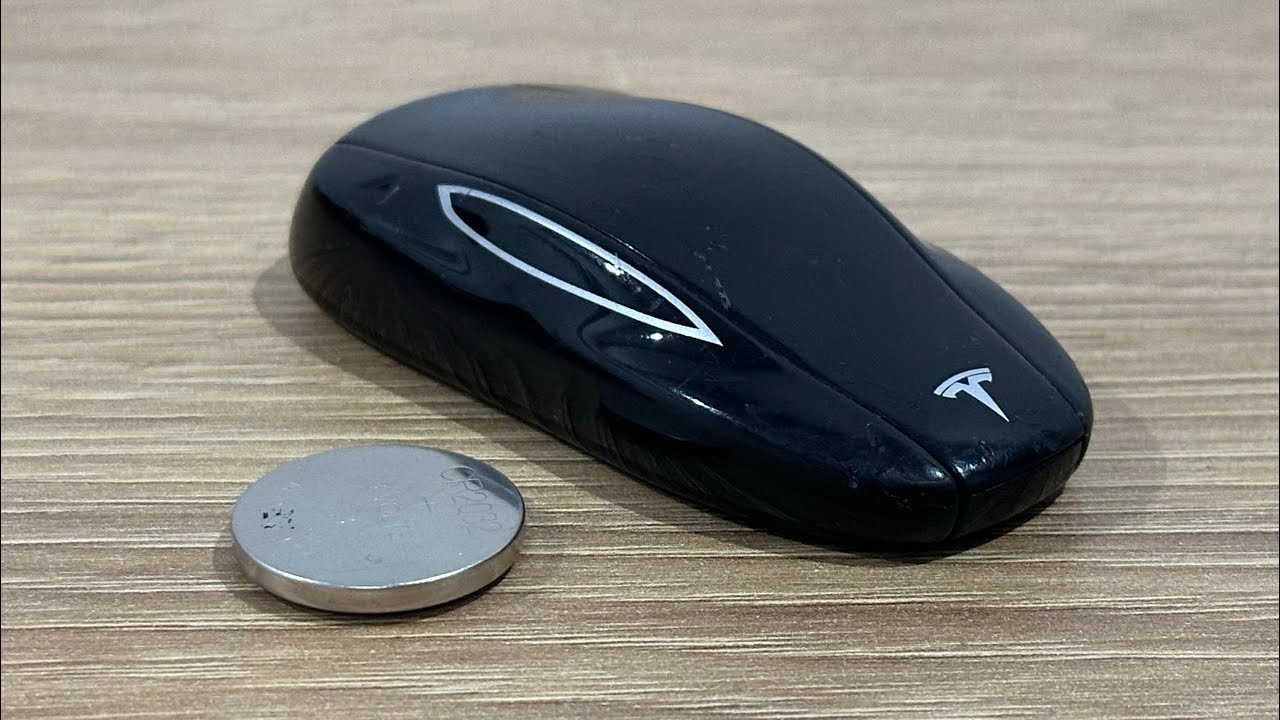
The CR2032 battery is a lithium coin cell battery specifically designed for low-power electronic devices. In your Tesla key fob, this battery typically provides reliable power for up to one year under normal usage conditions. The actual lifespan depends on several factors including usage frequency, environmental conditions, and the age of the key fob itself.
Tesla's engineering team selected the CR2032 format for its optimal balance of power capacity and compact size. These batteries deliver 3 volts of consistent power and have excellent shelf life, making them ideal for intermittent-use devices like key fobs. The CR2032 designation indicates a diameter of 20mm and thickness of 3.2mm, which fits perfectly within the Model Y key fob's compact design.
Recognizing Low Battery Warning Signs
Your Tesla Model Y provides clear indicators when the key fob battery requires replacement. The primary notification appears directly on your vehicle's touchscreen display, alerting you that the key fob battery is running low. This proactive warning system gives you adequate time to purchase a replacement battery and perform the swap before complete battery failure.
Additional signs of a weakening key fob battery include reduced operating range, delayed response when pressing buttons, and intermittent functionality. You may notice that you need to be closer to your vehicle for the key fob to work effectively, or that multiple button presses are required to achieve the desired response.
Essential Tools and Materials
Before beginning the battery replacement process, gather the necessary tools and materials. The replacement procedure requires minimal equipment, making it accessible for most Tesla owners to complete independently.
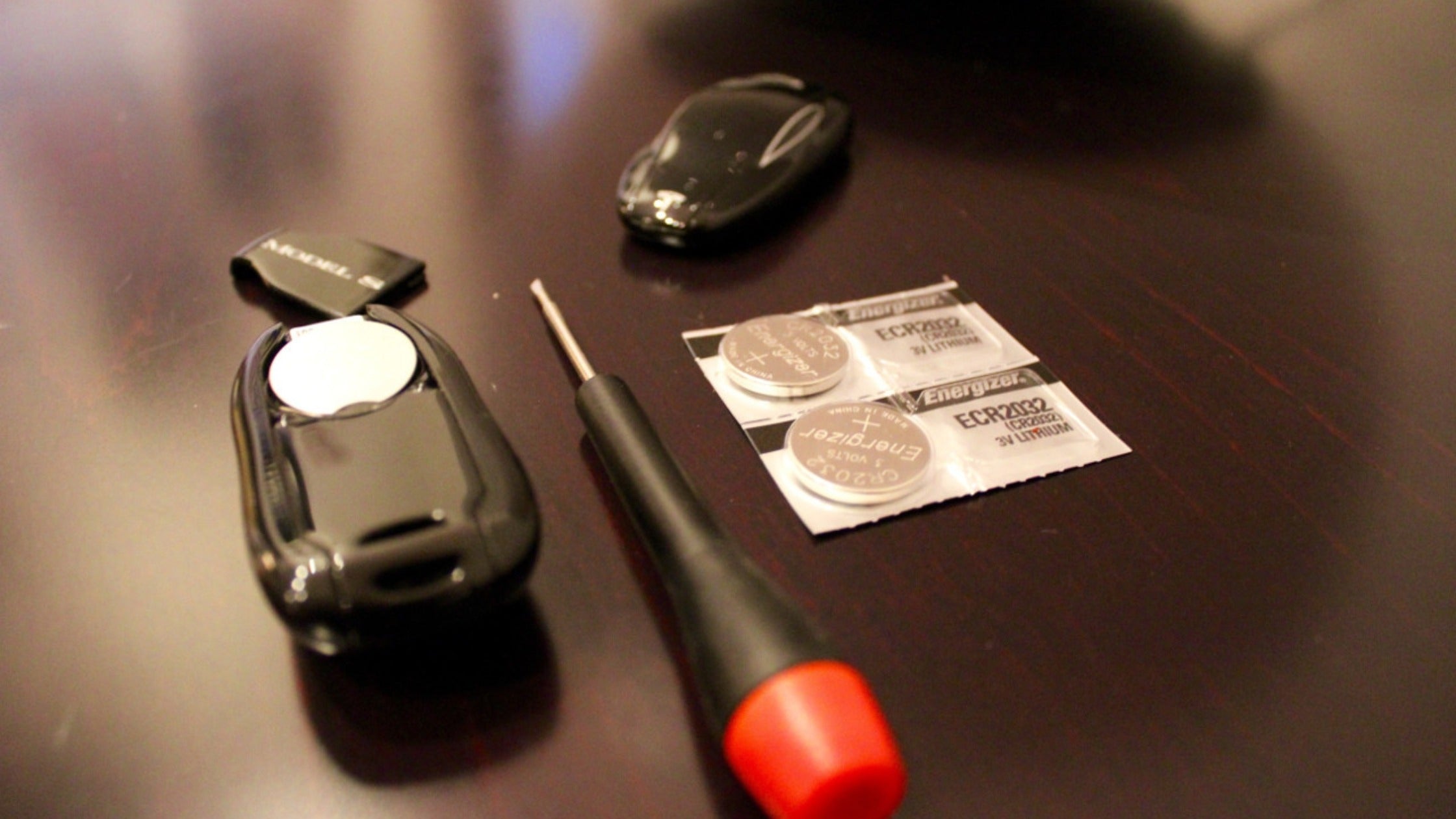
You will need a new CR2032 battery, which is widely available at electronics stores, pharmacies, and online retailers. When selecting a replacement battery, choose a reputable brand to ensure reliable performance and longevity. Avoid touching the flat surfaces of the new battery during installation, as oils from your skin can reduce battery life and performance.
Tesla Model Y Key Fob CR2032 Battery Specifications and Performance Data
| Battery Brand | Voltage | Capacity (mAh) | Expected Lifespan in Tesla Key Fob | Operating Temperature Range |
|---|---|---|---|---|
| Panasonic CR2032 | 3.0V | 225 | 12-15 months | -30°C to +60°C |
| Energizer CR2032 | 3.0V | 240 | 12-18 months | -30°C to +60°C |
| Duracell CR2032 | 3.0V | 235 | 12-16 months | -20°C to +60°C |
| Sony CR2032 | 3.0V | 220 | 10-14 months | -30°C to +60°C |
| Maxell CR2032 | 3.0V | 230 | 11-15 months | -30°C to +60°C |
| Renata CR2032 | 3.0V | 225 | 12-16 months | -30°C to +60°C |
A small flat-bladed tool is required to open the key fob housing safely. Suitable options include a small flathead screwdriver, a plastic prying tool, or even a sturdy fingernail. The key is to use something thin enough to fit into the housing seam without being so sharp that it damages the plastic casing.
Safety Considerations and Best Practices
While replacing a Tesla key fob battery is a straightforward procedure, following proper safety practices ensures optimal results and prevents damage to your key fob. Always work on a clean, well-lit surface to prevent losing small components and to clearly see what you are doing.
Place the key fob on a soft surface during disassembly to prevent scratching the housing or damaging internal components if the device is accidentally dropped. A clean towel or microfiber cloth provides an ideal working surface that cushions the key fob while preventing static electricity buildup.
Handle the new CR2032 battery with care, avoiding contact with the positive and negative terminals whenever possible. Battery oils and residue can interfere with proper electrical contact and may reduce the overall lifespan of your replacement battery.
Keep the old battery away from children and dispose of it properly at a designated battery recycling location. CR2032 batteries contain lithium and other materials that require proper disposal to prevent environmental contamination.
Step-by-Step Tesla Model Y Key Fob Battery Replacement
Replacing the CR2032 battery in your Tesla Model Y key fob is a straightforward process that takes just a few minutes. Follow these detailed steps to ensure proper installation and avoid damaging your key fob during the replacement process.
Required Tools and Materials
Before beginning the battery replacement, gather the necessary tools and materials. You will need a new CR2032 battery, a small flat-bladed tool such as a coin or small screwdriver, and a soft cloth or towel to protect your work surface. Having these items ready will make the replacement process smooth and efficient.
Safety Precautions and Best Practices
When handling the new CR2032 battery, avoid touching the flat surfaces with your fingers, as oils from your skin can reduce battery performance and lifespan. Hold the battery by its edges only. Additionally, ensure you work on a clean, soft surface to prevent scratching the key fob housing or losing small components.
Testing Your Key Fob After Replacement
After reassembling your key fob, it is crucial to test all functions to ensure proper operation. Stand within range of your Tesla Model Y and test the lock and unlock functions. The key fob should respond immediately without delay. If the key fob does not work properly, check that the battery is installed with the positive side facing up and that the cover is securely fastened.
Troubleshooting Common Issues
If your key fob still does not function after battery replacement, several factors could be at play. First, verify that you have installed a genuine CR2032 battery, as counterfeit batteries may not provide adequate power. Second, check for any visible damage to the battery contacts inside the key fob. If contacts appear corroded or damaged, gently clean them with a dry cloth. Finally, ensure the key fob cover is properly aligned and fully seated.
Battery Life and Replacement Schedule
Under normal usage conditions, a CR2032 battery in your Tesla Model Y key fob should last approximately one year. However, battery life can vary based on usage frequency and environmental conditions. Keep track of when you replace the battery to anticipate future replacements. Consider replacing the battery proactively if you notice any decrease in range or response time.
Disposal and Environmental Considerations
Proper disposal of the old CR2032 battery is important for environmental protection. These lithium batteries contain materials that should not be thrown in regular household trash. Take the old battery to a local electronics store, automotive parts store, or designated battery recycling center. Many retailers that sell batteries also accept used batteries for recycling at no charge.
When to Seek Professional Help
While key fob battery replacement is typically a simple DIY task, certain situations may require professional assistance. If your key fob housing is cracked or damaged, if the battery contacts are severely corroded, or if the key fob continues to malfunction after battery replacement, contact Tesla service or a qualified automotive locksmith. Attempting repairs on a damaged key fob could result in permanent damage and costly replacement.
No comments yet. Be the first to share your thoughts!