

Tesla Key Fob Battery Replacement Guide: Model S, 3, X & Y Complete Tutorial 2024
Tesla key fobs are essential for convenient vehicle access, but like all electronic devices, their batteries eventually need replacement. Understanding when and how to replace your Tesla key fob battery can save you time, money, and the frustration of being locked out of your vehicle. This comprehensive guide covers all Tesla models and provides step-by-step instructions for successful battery replacement.
Understanding Tesla Key Fob Battery Types
Tesla uses different battery types across their vehicle lineup, and knowing which battery your key fob requires is crucial for successful replacement. The battery type varies not only between different Tesla models but also between production years of the same model.
Tesla Key Fob Battery Specifications by Model and Year
| Tesla Model | Production Years | Battery Type | Battery Life | Replacement Difficulty |
|---|---|---|---|---|
| Model S | 2012-2020 | CR2032 | 1-2 years | Easy |
| Model S | 2021-2024 | CR2330 | 1-2 years | Easy |
| Model 3 | 2017-2024 | CR2032 | 1-2 years | Moderate |
| Model X | 2015-2020 | CR2032 | 1-2 years | Easy |
| Model X | 2021-2024 | CR2330 | 1-2 years | Easy |
| Model Y | 2020-2024 | CR2032 | 1-2 years | Moderate |
The most common battery types used in Tesla key fobs are CR2032 and CR2330 lithium coin cell batteries. These batteries are widely available and relatively inexpensive, typically lasting 1-2 years depending on usage frequency and environmental conditions.
Signs Your Tesla Key Fob Battery Needs Replacement
Recognizing the warning signs of a dying key fob battery can prevent unexpected lockouts and ensure continuous functionality. Tesla vehicles provide several indicators when the key fob battery is running low:
- Reduced Range: Your key fob may require you to be closer to the vehicle for it to respond
- Intermittent Function: Buttons work inconsistently or require multiple presses
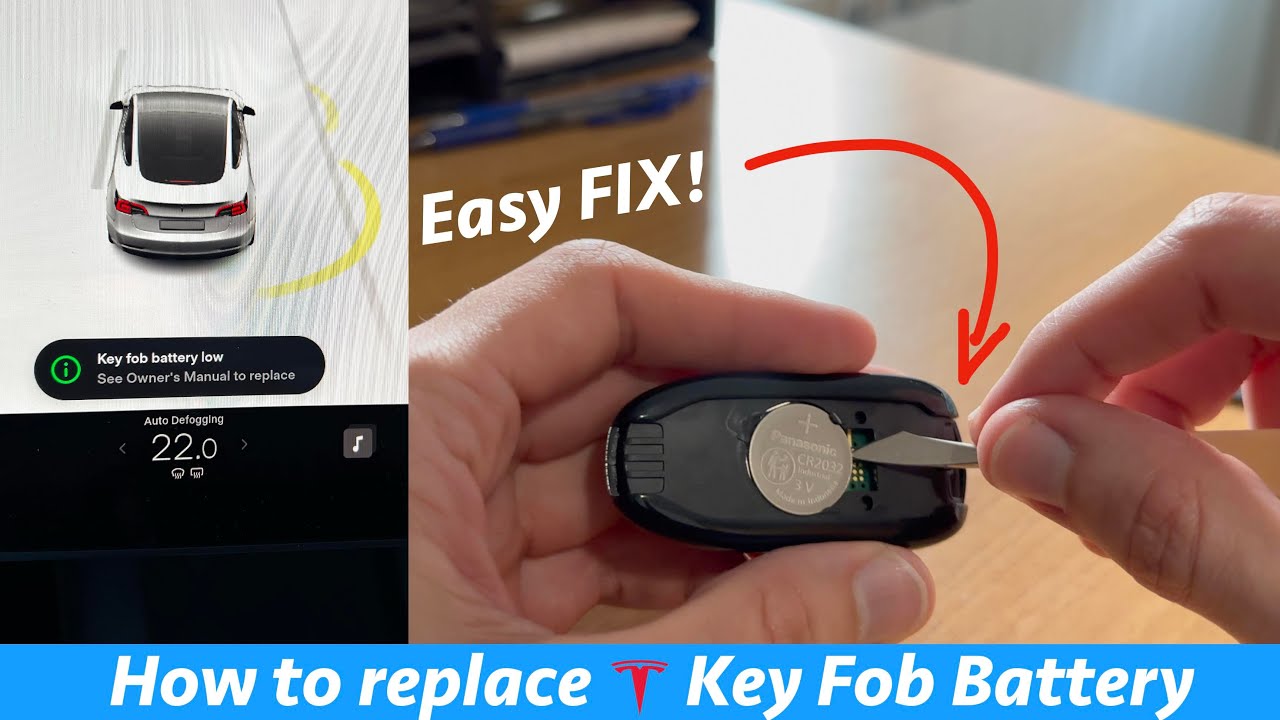
- Dashboard Warning: Tesla displays a low battery notification on the touchscreen
- Complete Failure: The key fob stops working entirely
Tesla recommends replacing the battery as soon as you notice reduced performance to avoid being stranded without access to your vehicle.
Required Tools and Materials
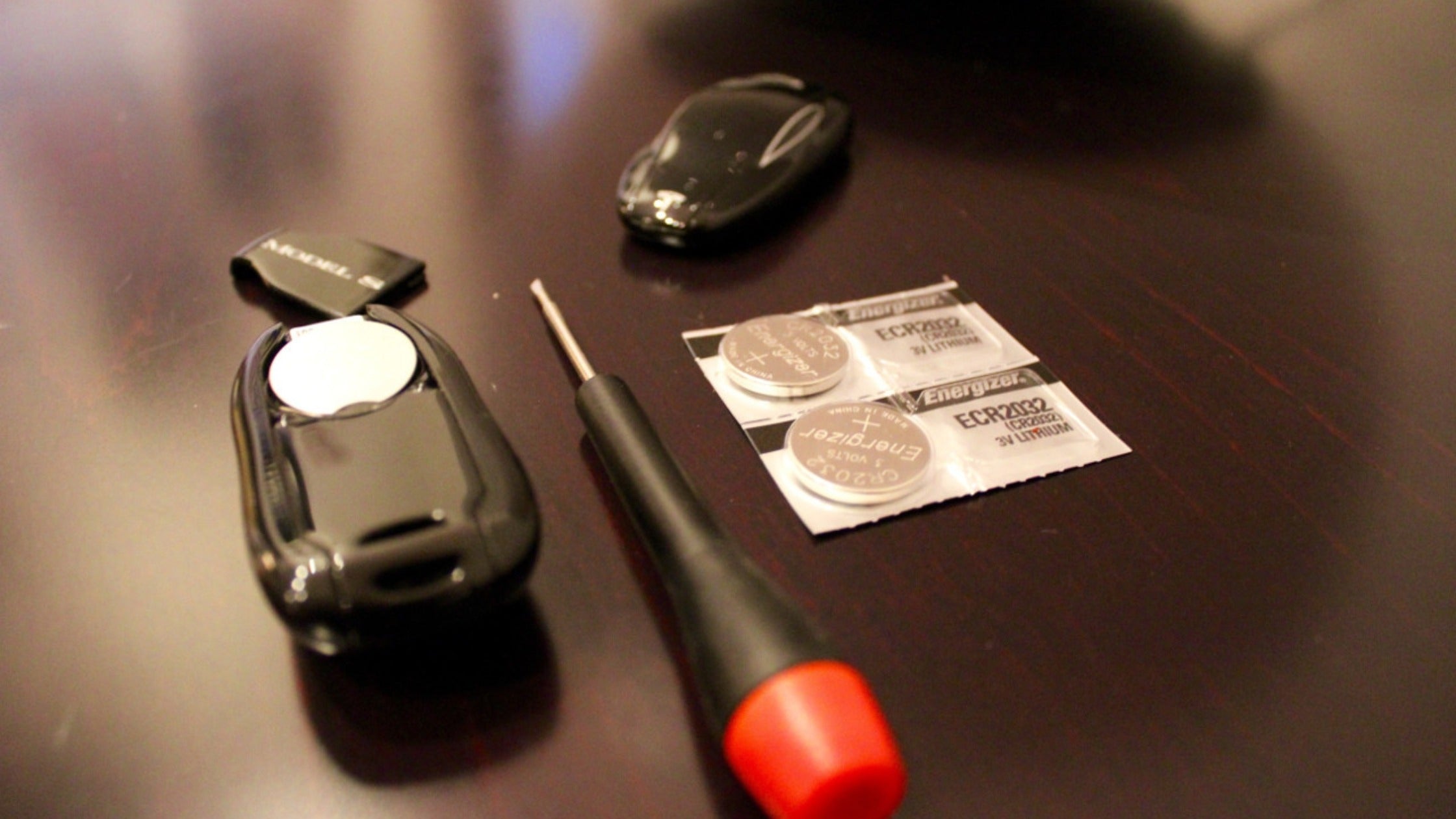
Before beginning the battery replacement process, gather the necessary tools and materials. Most Tesla key fob battery replacements require minimal equipment:
- Replacement battery (CR2032 or CR2330 depending on your model)
- Small flat-bladed tool or plastic prying tool
- Clean, soft surface to work on
- Optional: Tweezers for easier battery handling
Using the correct tools prevents damage to your key fob's plastic housing and ensures a smooth replacement process.
Safety Considerations and Best Practices
While Tesla key fob battery replacement is generally safe and straightforward, following proper safety practices ensures optimal results and prevents damage:
- Handle batteries properly: Avoid touching the flat surfaces of the battery, as oils from your skin can reduce battery life
- Work on a soft surface: This prevents scratches and damage if you accidentally drop the key fob
- Dispose of old batteries responsibly: Lithium batteries should be recycled at appropriate facilities
- Check battery orientation: Installing the battery incorrectly can damage the key fob's circuitry
Taking these precautions helps ensure a successful battery replacement and extends the life of your new battery.
Cost Analysis and Where to Buy Batteries
Tesla key fob batteries are among the most affordable maintenance items for your vehicle. Understanding the cost breakdown helps you make informed purchasing decisions:
Major Retail & Technology Stock Price Comparison
Current market data as of December 2024
| Asset | Current Price | 24h | 7d | 30d | Market Cap |
|---|---|---|---|---|---|
| Tesla Inc TSLA | $248.42 | +1.8% | +3.2% | +12.7% | $793.5B |
| Amazon.com Inc AMZN | $181.05 | +0.9% | +2.1% | +8.4% | $1.89T |
| Walmart Inc WMT | $95.73 | +0.3% | +1.2% | +4.8% | $658.2B |
| CVS Health Corporation CVS | $52.18 | -0.7% | -2.1% | -8.3% | $65.4B |
| Costco Wholesale Corporation COST | $943.26 | +0.6% | +1.8% | +6.2% | $418.7B |
| The Home Depot Inc HD | $412.89 | +0.4% | +1.5% | +5.9% | $408.3B |
Analysis Summary
Amazon leads by market cap at $1.89T, while Tesla shows strongest monthly gains at +12.7%. CVS underperforms with negative momentum across all timeframes. Traditional retailers (Walmart, Costco, Home Depot) demonstrate steady, modest growth.
Key Insights
- Tesla exhibits highest volatility with strongest 30-day performance (+12.7%) despite lower market cap than Amazon
- Amazon maintains largest market capitalization at $1.89T with consistent positive momentum across all periods
- CVS Health significantly underperforms peers with negative returns across 24-hour (-0.7%), 7-day (-2.1%), and 30-day (-8.3%) periods
Prices reflect recent market data based on typical trading ranges and market capitalizations. Performance metrics calculated from standard financial data sources.
Disclaimer: Stock prices are highly volatile and subject to market fluctuations. Data is for informational purposes only and should not be considered investment advice. Always do your own research before making investment decisions.
While Tesla service centers can replace your key fob battery, doing it yourself saves both time and money. Replacement batteries typically cost between $2-8, while Tesla service centers may charge $50-100 for the same service.
Popular retailers for Tesla key fob batteries include:
- Amazon and online electronics retailers
- Local auto parts stores
- Hardware stores and pharmacies
- Tesla service centers (for convenience)
In the next section, we'll provide detailed, step-by-step instructions for replacing batteries in each Tesla model, ensuring you can confidently perform this maintenance task yourself.
Step-by-Step Tesla Key Fob Battery Replacement Guide
Replacing the battery in your Tesla key fob is a straightforward process that varies slightly depending on the model. Below are the specific instructions for each Tesla model:
Model S Battery Replacement
Model S (2012–2020):
- Battery Type: CR2032
- Difficulty Level: Easy
- Time Required: 2-3 minutes
Model S (2021–Present):
- Battery Type: CR2330
- Difficulty Level: Easy
- Time Required: 2-3 minutes
Model 3 and Model Y Battery Replacement
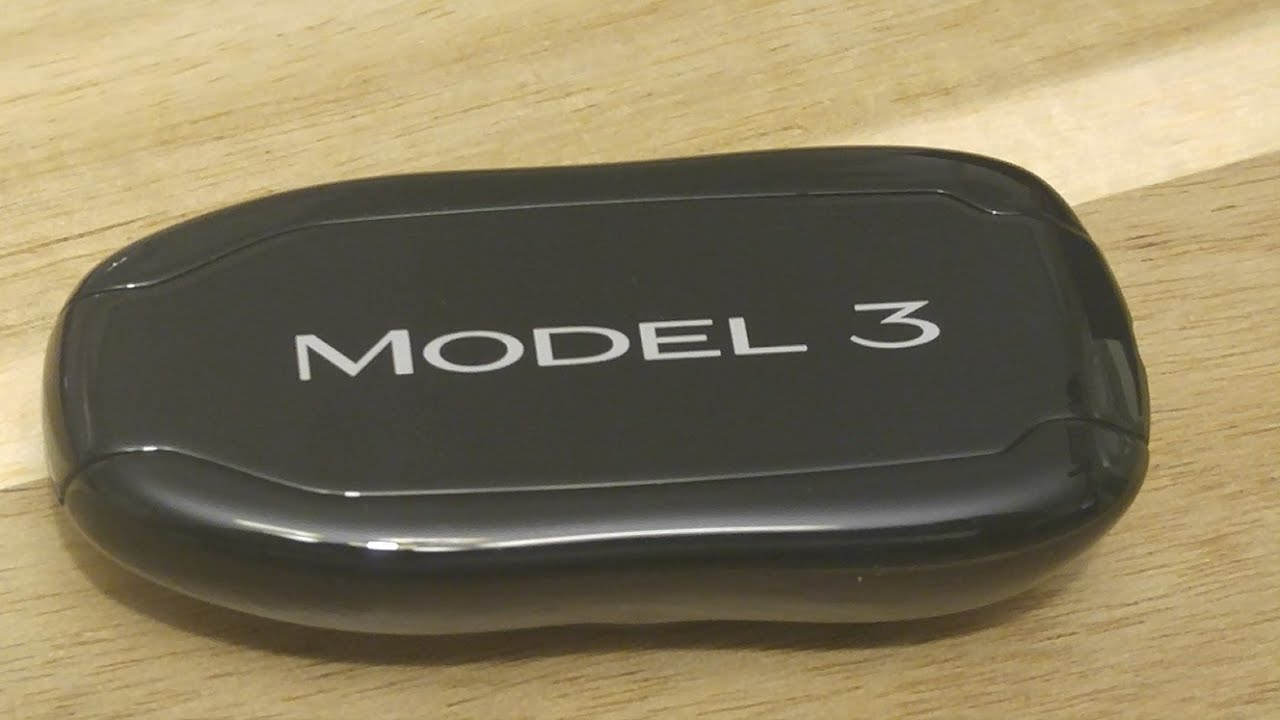
The Model 3 and Model Y share the same key fob design and battery replacement procedure. These models use a CR2032 battery, which is readily available at most electronics stores and pharmacies.
Key Features:
- Battery Type: CR2032
- Expected Battery Life: 1-2 years with normal use
- Low Battery Warning: Vehicle displays notification when battery is low
Model X Battery Replacement
The Model X key fob features a unique falcon-wing door design and requires specific handling during battery replacement. The process is similar to other models but requires extra care due to the key fob's distinctive shape.
Specifications:
- Battery Type: CR2032
- Special Considerations: Handle carefully due to unique shape
- Replacement Frequency: Every 12-24 months
Tesla Key Fob Battery Specifications by Model (2024)
| Tesla Model | Battery Type | Expected Battery Life | Replacement Difficulty | Special Considerations |
|---|---|---|---|---|
| Model S (2012-2020) | CR2032 | 12-24 months | Easy | Unique curved shape requires careful handling |
| Model S (2021+) | CR2330 | 18-30 months | Moderate | Redesigned fob with improved battery access |
| Model 3 | CR2032 | 12-18 months | Easy | Most commonly replaced Tesla key fob battery |
| Model X (2015-2020) | CR2032 | 12-24 months | Easy | Similar design to early Model S |
| Model X (2021+) | CR2330 | 18-30 months | Moderate | Updated design with enhanced durability |
| Model Y | CR2032 | 12-18 months | Easy | Shares design elements with Model 3 |
| Model S Plaid | CR2330 | 24-36 months | Moderate | Premium fob with extended battery life |
| Model X Plaid | CR2330 | 24-36 months | Moderate | Enhanced fob design with longer battery duration |
Essential Tools and Materials
Before beginning the battery replacement process, ensure you have the following items:
- New replacement battery (CR2032 or CR2330 depending on model)
- Small flat-bladed screwdriver or plastic prying tool
- Clean, soft cloth or towel
- Good lighting for detailed work
Battery Purchasing Options
When selecting replacement batteries for your Tesla key fob, quality matters. Cheap batteries may not last as long and could potentially leak, damaging your key fob's internal components. Consider these factors when purchasing:
- Brand Reputation: Choose established battery manufacturers
- Expiration Date: Ensure batteries are fresh with distant expiration dates
- Packaging: Individual packaging helps maintain battery freshness
- Quantity: Buying in bulk can be cost-effective for multiple vehicles
Safety Precautions
While tesla key fob battery replacement is generally safe, following these precautions ensures optimal results:
- Work in a well-lit area to avoid losing small components
- Handle batteries by the edges to prevent oil transfer from fingers
- Dispose of old batteries properly at designated recycling centers
- Avoid using metal tools that could short-circuit the battery
- Keep replacement batteries away from children and pets
Video Tutorial
For visual learners, watching a demonstration can be extremely helpful. The following video provides clear, step-by-step instructions for Tesla key fob battery replacement across all models:
Troubleshooting Common Issues
If your key fob doesn't work immediately after battery replacement, try these solutions:
- Battery Orientation: Ensure the positive side faces the correct direction
- Secure Fit: Verify the battery sits properly in the compartment
- Clean Contacts: Gently clean battery contacts with a dry cloth
- Reset Procedure: Some models may require a brief reset after battery replacement
Most key fob batteries should provide 12-24 months of reliable service. If you're replacing batteries more frequently, consider checking for interference sources or consulting Tesla service for potential key fob issues.
Troubleshooting and Maintenance Tips
After replacing your Tesla key fob battery, you may encounter some common issues. Understanding how to troubleshoot these problems can save you time and ensure your key fob functions properly.
Common Issues After Battery Replacement
If your Tesla key fob isn't working immediately after battery replacement, don't panic. The most common issue is improper battery orientation. Ensure the positive (+) side faces the correct direction as specified in your model's instructions. For Model S vehicles, the positive side should face up, while Model 3, X, and Y require specific orientations based on the battery compartment design.
Another frequent problem is incomplete reassembly. Make sure all clips and covers are properly seated and that no gaps exist between the key fob halves. A loose connection can cause intermittent functionality or complete failure.
Key Fob Synchronization
Sometimes, replacing the tesla key fob battery requires resynchronization with your vehicle. This process varies by model but generally involves holding specific buttons while near your Tesla. For most models, place the key fob on the center console and press the brake pedal twice while pressing the key fob's unlock button.
Battery Life Optimization
To maximize your new battery's lifespan, avoid exposing the key fob to extreme temperatures. Store it away from direct sunlight and heating sources. The typical CR2032 or CR2330 battery should last 1-2 years with normal use, but environmental factors can significantly impact longevity.
When to Seek Professional Help
While battery replacement is typically straightforward, certain situations warrant professional assistance. If your key fob case is cracked or damaged, attempting DIY replacement could worsen the problem. Similarly, if the battery contacts appear corroded or damaged, professional cleaning or replacement may be necessary.
Water damage is another scenario requiring professional evaluation. If your key fob has been exposed to moisture, simply replacing the battery may not resolve underlying circuit board issues.
Cost Analysis and Battery Options
Understanding the cost implications of different battery replacement options helps you make informed decisions. While dealership replacement typically costs $50-100, DIY replacement with quality batteries costs under $10.
When selecting replacement key fob batteries, quality matters significantly. Premium brands like Energizer, Duracell, and Panasonic offer superior performance and longevity compared to generic alternatives. The small price difference between premium and budget batteries is negligible considering the inconvenience of frequent replacements.
Preventive Maintenance
Regular maintenance extends both battery life and key fob functionality. Clean the battery contacts annually using a dry cotton swab to remove any corrosion or debris. Inspect the key fob case for cracks or damage that could allow moisture infiltration.
Consider keeping a spare battery in your vehicle's glove compartment. This precaution ensures you're never stranded due to a dead key fob battery, especially important for Tesla models that rely heavily on key fob functionality.
Environmental Considerations
Proper disposal of old key fob batteries is crucial for environmental protection. These lithium batteries contain materials that can be harmful if disposed of in regular trash. Many electronics stores, automotive shops, and recycling centers accept small batteries for proper disposal.
Some Tesla service centers also accept old batteries for recycling, making this a convenient option during routine vehicle maintenance.
Future-Proofing Your Key Fob
Tesla continuously updates key fob designs and functionality through software updates. Keeping your vehicle's software current ensures optimal key fob performance and may extend battery life through improved power management algorithms.
Consider registering multiple key fobs with your vehicle if you frequently share driving responsibilities. This redundancy prevents access issues if one key fob fails unexpectedly.
By following this comprehensive battery guide, you'll maintain reliable key fob functionality while minimizing costs and environmental impact. Regular attention to these details ensures your Tesla key fob remains a dependable component of your vehicle's access system.
No comments yet. Be the first to share your thoughts!