

iPhone 18 Battery: A 2026 Reality Check
The iPhone 18 will likely arrive with the usual upgrades: a faster chip and a hungrier display. While Apple usually finds ways to squeeze more efficiency out of the hardware, more power draw eventually hits a wall. If you're planning to keep the phone for more than two years, the battery is the first thing that will give out.
Apple has slowly bumped up battery sizes over the years. The iPhone 15 Pro Max sits at 4,422 mAh, so we might see the iPhone 18 hit the 5,000 mAh mark. But a bigger battery doesn't always mean better life if the new screen tech eats up the gains.
Given Apple's history and the anticipated power demands of the iPhone 18, battery replacement will almost certainly be a consideration for many owners. Batteries degrade over time, losing their capacity to hold a charge. A phone that once lasted all day may struggle to make it to lunchtime after a couple of years. And frankly, I'm not sure about Apple continuing to make repairs accessible to the average user. They seem to be leaning toward making it more difficult.
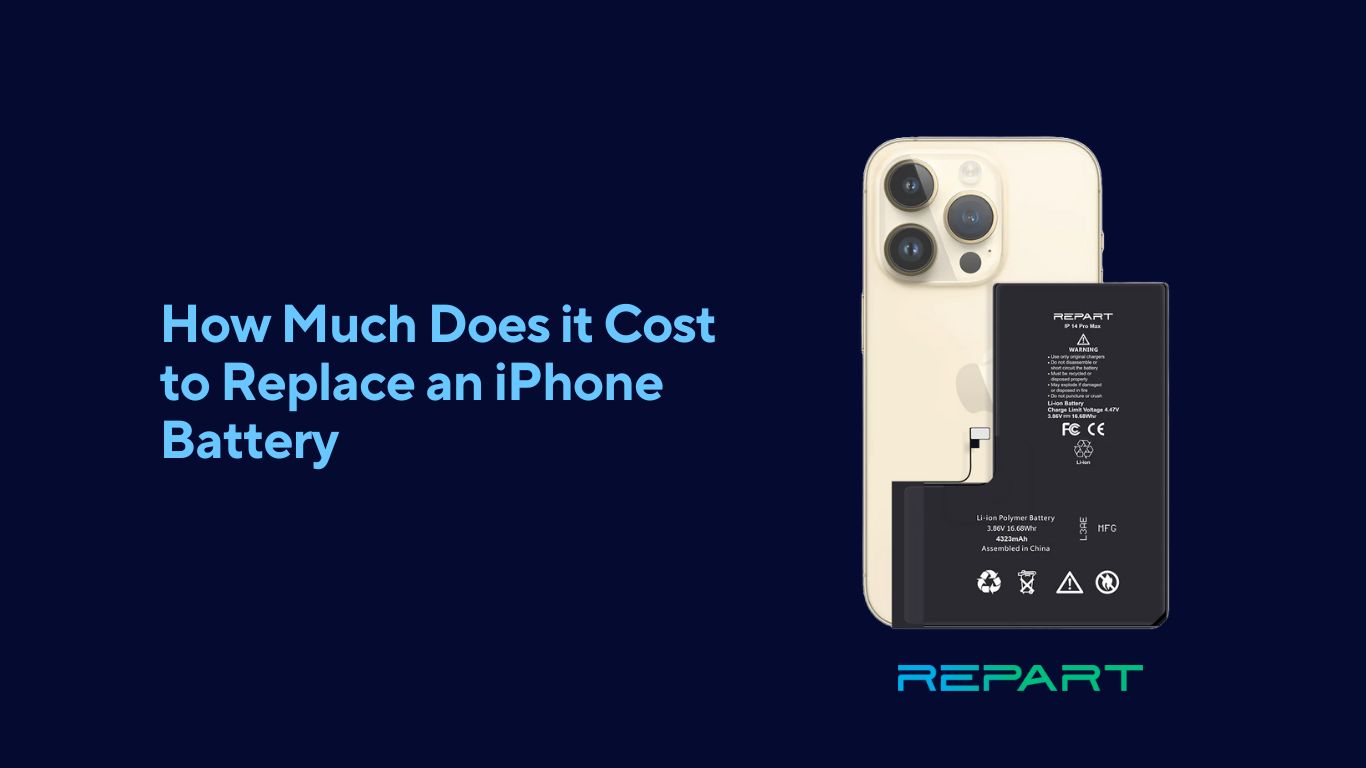
Tools you'll need for a DIY fix
Attempting a DIY battery replacement on the iPhone 18 will require a specific set of tools. You’ll need a pentalobe screwdriver – almost certainly a P2 size, based on current models – to remove the screws from the bottom of the phone. A suction cup will be essential for lifting the display, and a plastic opening tool (or spudger) is needed to carefully pry it open. A heat gun or hairdryer will be necessary to soften the adhesive that secures the display, but precise temperature control is vital; too much heat can damage the display or internal components.
The anticipated difficulty level is high, and I wouldn't recommend it for anyone without prior experience in smartphone repair. Apple has consistently made it harder to access internal components, using stronger adhesive and more complex designs. Expect to encounter numerous small screws, delicate cables, and sensitive connectors. You'll likely need a magnetic project mat to keep track of those tiny screws.
The general steps will likely involve removing the display assembly, disconnecting the battery connector, removing the old battery (which will be heavily adhered to the phone’s frame), cleaning the frame, installing the new battery with fresh adhesive, reconnecting the display, and reassembling the phone. There will be adhesive strips to replace and potentially fragile flex cables to navigate. It will be a meticulous process.
I suspect Apple will use even more adhesive than in previous models, perhaps even a more robust epoxy-based solution. This will make removing the display significantly more challenging and increase the risk of damage. A dedicated display separator tool might be essential. Plus, the internal layout could be redesigned, requiring you to research the specific procedures for the iPhone 18.
- Pentalobe screwdriver (P2)
- Suction cup
- Plastic opening tool (spudger)
- Heat gun or hairdryer
- Magnetic project mat
- New iPhone 18 battery
- Adhesive strips
- Display separator tool (potentially)
The real cost of doing it yourself
The cost of a DIY iPhone 18 battery replacement will vary depending on the quality of the battery and the tools you already own. A decent aftermarket battery could range from $60 to $100. A toolkit containing the necessary screwdrivers, suction cup, and opening tools might cost another $30 to $50. However, this doesn't account for potential mishaps. Dropping a screw and damaging a component, or accidentally damaging the display during removal, can significantly increase the cost.
Apple’s official out-of-warranty battery replacement service will likely be more expensive. Based on current pricing trends, we can estimate a cost of $100 to $150 for an iPhone 18 battery replacement. This price includes Apple’s labor and a warranty on the replacement battery. However, Apple's pricing could increase with each new iPhone release.
A first-time repair usually takes a whole afternoon. By the time you buy the tools and risk cracking the screen, the $50 you saved by skipping the Apple Store starts to look like a bad deal. If you value your Saturday, paying for the service is usually the smarter move.
- Aftermarket battery: $60 - $100
- Toolkit: $30 - $50
- Potential Damage: $50 - $300+
- Apple Service: $100 - $150
- Your Time: Several Hours
iPhone 18 Battery Replacement: Comparison of Options (2026)
| Option | Cost | Time Commitment | Risk of Damage | Warranty Implications |
|---|---|---|---|---|
| DIY Replacement | Potentially lowest, dependent on parts cost. Varies significantly based on source and quality of replacement battery. | Several hours, requiring patience and careful execution. | High. Risk of damaging other components during disassembly/reassembly, including the display or internal connectors. | Voids any remaining Apple warranty. No warranty on aftermarket parts. |
| AppleCare+ Coverage | Service fee applies. The exact fee will depend on Apple’s pricing at the time of service in 2026, but historically these fees have been a fixed amount. | Typically a few days, including shipping time if a mail-in service is used. In-store appointments may offer faster turnaround. | Low. Performed by Apple-trained technicians. | Maintains existing AppleCare+ coverage. Battery replacement does *not* reset the AppleCare+ clock. |
| Out-of-Warranty Apple Repair | Highest cost. Price will be determined by Apple’s standard battery service pricing in 2026. | Similar to AppleCare+ – a few days including shipping or faster with in-store appointments. | Low. Performed by Apple-trained technicians. | No impact on any existing warranty, as the device is already out of warranty. Repair comes with a standard 90-day warranty on the battery and associated service. |
| Independent Repair Shop | Moderate. Costs vary widely between shops and battery quality. | Generally faster than Apple – potentially same-day service. | Moderate. Skill level of technicians varies; quality of replacement parts can be inconsistent. | May void any remaining Apple warranty. Warranty offered by the repair shop will vary. |
| Mail-In Repair Service | Moderate. Includes cost of parts and shipping. | Several days to two weeks, including shipping time. | Moderate. Risk of damage during shipping and handling. Technician skill varies. | May void any remaining Apple warranty. Warranty offered by the service will vary. |
Illustrative comparison based on the article research brief. Verify current pricing, limits, and product details in the official docs before relying on it.
Spotting a decent aftermarket battery
The quality of aftermarket iPhone 18 batteries can vary dramatically. Some manufacturers prioritize cost over quality, using inferior cells and components. These batteries may have a lower capacity than advertised, a shorter lifespan, and even pose a safety risk. I've seen some truly awful aftermarket batteries – capacity is often way off from the stated specifications.
When choosing an aftermarket battery, look for certifications such as CE, RoHS, and FCC. These certifications indicate that the battery has been tested and meets certain safety and quality standards. Also, check the manufacturer’s warranty and read customer reviews. A longer warranty and positive reviews are good signs.
Stick to known parts suppliers like iFixit or specialized battery brands. If a battery on a random marketplace is half the price of everyone else's, it's probably junk. Check that the voltage matches the original specs before you glue it in.
- Look for CE, RoHS, or FCC certifications on the label
- Check Warranty: Longer warranty = better
- Read Reviews: See what other users say
- Avoid Extremely Low Prices: Quality costs money
- Verify Specifications: Match Apple's requirements
Featured Products

19800mAh super capacity · Compatible with iPhone 8/8G · Includes professional repair tool kit
This battery offers a significantly higher capacity than the original and comes with a tool kit, making it a cost-effective DIY solution for iPhone 8 users.

Specifically designed for iPhone 11 · Includes a comprehensive repair kit · From a reputable repair parts provider
iFixit is known for its quality parts and detailed guides, providing a reliable and user-friendly option for iPhone 11 battery replacement.

4000mAh high capacity · Compatible with iPhone 8 models A1863, A1905, A1906 · Includes professional repair tool kits
This high-capacity battery provides extended usage for iPhone 8 and includes necessary tools for a straightforward DIY installation.

21800mAh super capacity · Compatible with iPhone 11 · Includes professional repair tool kit
Offering a substantial capacity boost for the iPhone 11, this kit provides a budget-friendly and comprehensive solution for DIY battery replacement.
As an Amazon Associate I earn from qualifying purchases. Prices may vary.
Extending Your iPhone 18 Battery Life
While battery replacement is sometimes unavoidable, there are several things you can do to extend the life of your iPhone 18 battery. Adjusting software settings can make a significant difference. Reducing screen brightness, enabling Auto-Brightness, and shortening the Auto-Lock time can all conserve power. I always recommend turning off background app refresh, as this feature allows apps to consume power even when you're not actively using them.
Usage habits also play a role. Avoid exposing your iPhone 18 to extreme temperatures, as this can degrade the battery. Limit the use of power-hungry apps, such as games and video streaming services. And consider enabling Low Power Mode when your battery is running low.
Charging practices are also important. Avoid letting your battery drain completely, as this can shorten its lifespan. Instead, try to keep your battery charge between 20% and 80%. And use a high-quality charger and cable to ensure optimal charging efficiency. Apple recommends using a certified MagSafe charger or a USB-C power adapter.
- Reduce screen brightness
- Enable Auto-Brightness
- Shorten Auto-Lock time
- Turn off Background App Refresh
- Avoid extreme temperatures
- Limit power-hungry apps
- Enable Low Power Mode
- Keep battery charge between 20-80%
What happens at the repair shop
Getting an iPhone 18 battery replaced by Apple or an authorized service provider is generally a straightforward process. You can schedule an appointment online or by phone. Apple typically offers both mail-in and in-store service options. The turnaround time varies depending on the location and demand, but it typically takes a few days.
Before handing over your iPhone 18, it’s crucial to back up your data. You can use iCloud or a computer to create a backup. Apple will likely ask for your Apple ID and password to verify your ownership of the device. They may also ask you to disable Find My iPhone before the repair.
During the repair process, Apple will replace your old battery with a new one. They will also test the new battery to ensure it’s functioning correctly. After the repair, they’ll provide you with a repair report. If something goes wrong during the repair, Apple will typically cover the cost of the repair or provide a replacement device.
It’s good to know what to expect before handing over your phone. Ask the service provider about their warranty policy and what happens if you encounter any issues after the repair. Also, inquire about their data privacy practices to ensure your personal information is protected.

No comments yet. Be the first to share your thoughts!